
A Chrome extension that adds an import/export panel directly into the MIT App Inventor 2 Blocks editor. It lets you paste or drop XML/BlockScript and inject it straight into your project, and export your blocks back out in either format.
Built for people who write or generate AI2 blocks programmatically and don't want to deal with the manual copy/paste workflow every time.
- Adds a floating tool panel to the AI2 Blocks editor
- Import blocks from pasted XML or
.bsBlockScript files (drag and drop supported) - Auto detects whether the input is XML or BlockScript
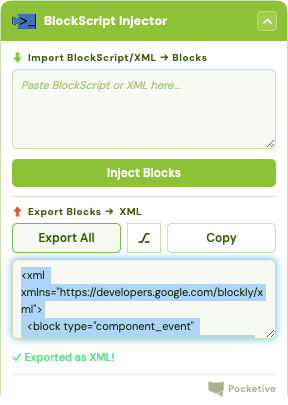
- Export all blocks as XML or BlockScript, with a toggle to switch formats
- Load the extension in Chrome
-
Navigate to
chrome://extensions -
Enable Developer Mode
-
"Load Unpacked"
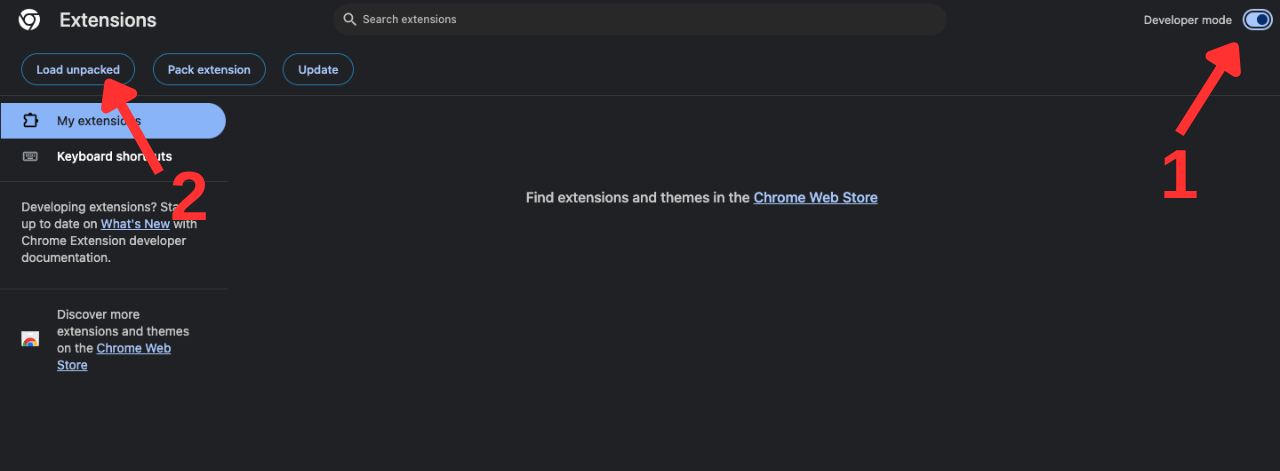
-
Choose the bsi folder (this repository)
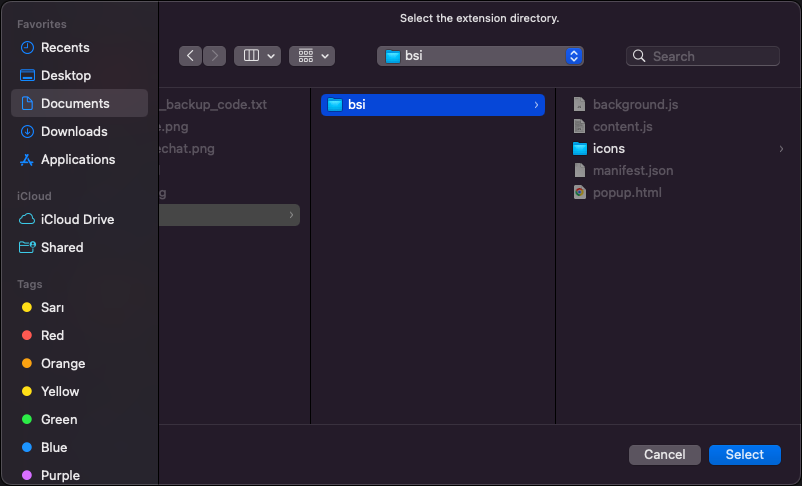
-
Done (it should automatically be enabled)
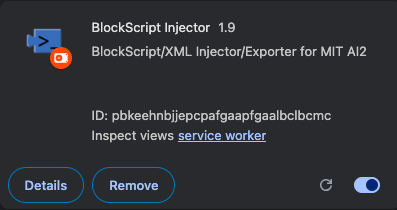
- Open a project in MIT App Inventor and switch to the Blocks editor

- Click the extension icon, the tool panel will appear on the page
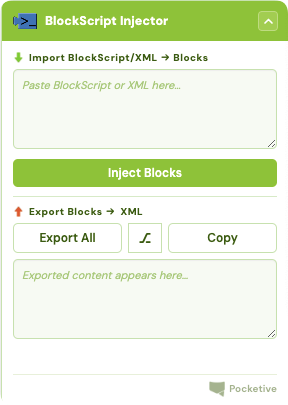
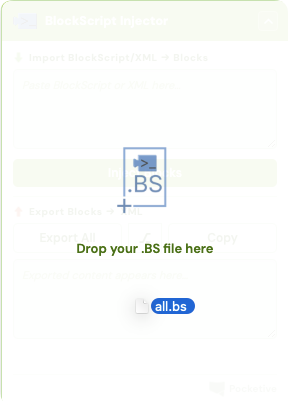
- Paste XML/BlockScript or drop a
.bsfile, then hit Inject
- To export, use Export All and toggle between XML and BlockScript
BlockScript (.bs) is a custom scripting format made to be a faster, more readable way to write AI2 blocks compared to raw XML. You can try it out in the BlockScript
Playground.
One of the main reasons this exists is to enable vibecoding in App Inventor. Since BlockScript is plain text and much easier to read and write than raw XML, it's a format that LLMs can generate reliably. Write a prompt describing the blocks you want, get BlockScript back, drop it into the injector, and it shows up in your project.
To make this even easier, there's a Claude skill specifically built for generating BlockScript and AI2 XML. Load it into Claude and you can just describe what you want in plain English (things like "add a counter with a reset button" or "make a procedure that clamps a slider value between two numbers") and Claude will output valid BlockScript ready to paste/drop straight into the injector.
The skill teaches Claude the full BlockScript syntax: event handlers, global variables, conditionals, loops, procedures, component properties, and more. It also knows when to fall back to raw XML for the edge cases BlockScript can't express yet. The result is that you can go from idea to working blocks in your project in a few seconds, without touching the Blocks editor at all.
To use it:
- Download the
.skillfile from releases in this repo - Upload it to Claude (Customize -> Skills)
- Describe the App Inventor blocks/code you want
- Copy/download (as
.bs) the BlockScript output and paste/drop it into the injector panel
It works best when you tell Claude which components you've already added to your project (button names, label names, etc.), so the generated blocks match what's actually on screen.
This only works on appinventor.mit.edu pages, since that's where the host permissions are scoped. Nothing is sent anywhere, everything runs locally in the page.
You can use the Pocketive website's contact session or pocketive@tachion.tech.