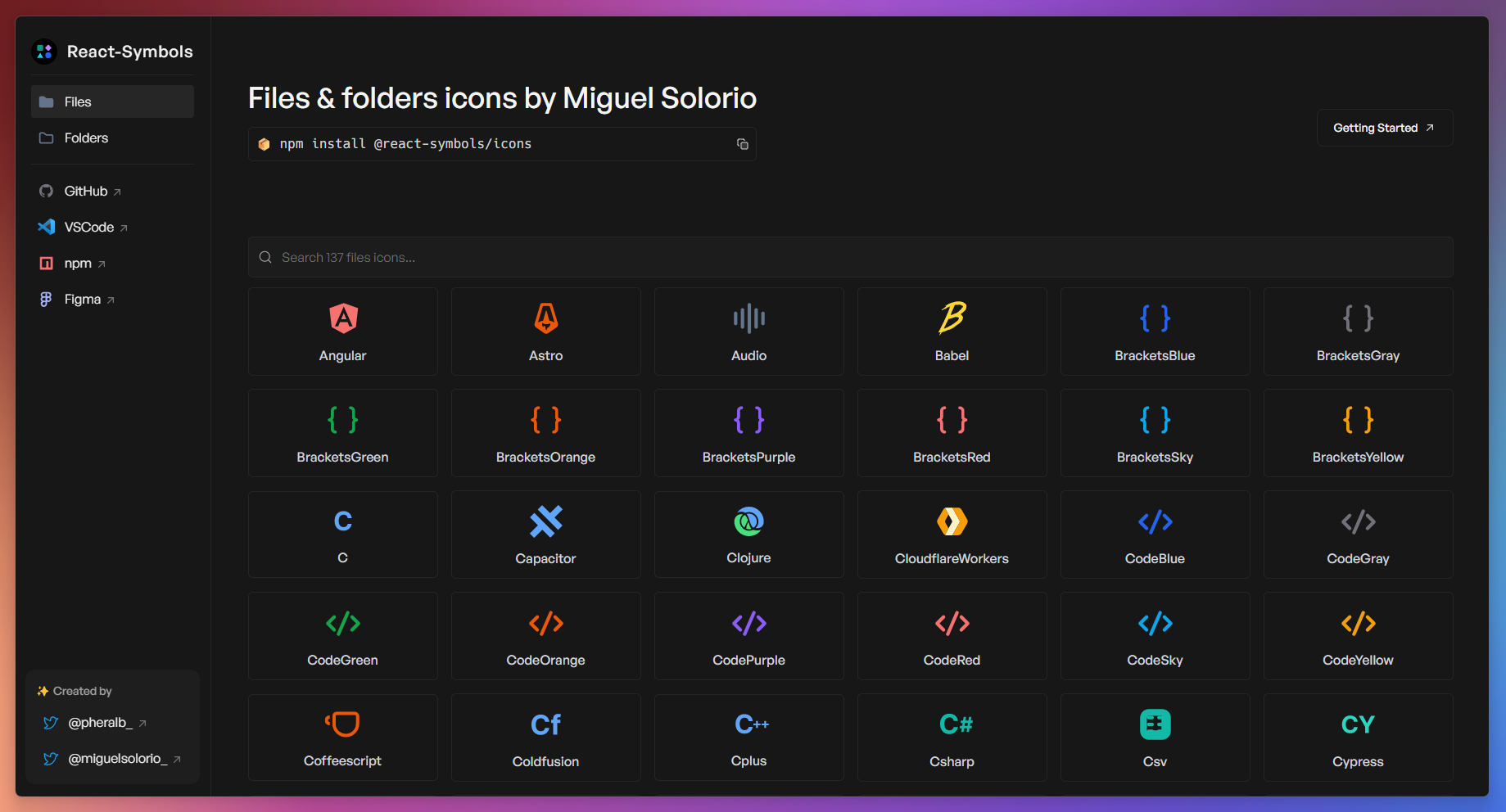






React-Symbols is a library for React with the icons of the VSCode theme Symbols created by Miguel Solorio (@miguelsolorio):
- 📦 +200 files & folders icons.
- ☁️ Support for React Server Components (RSC).
- 🍃 Lightweight & tree-shakable.
- 💙 Built with TypeScript.
- 🚀 SVG optimized and minified.
React-Symbols require React >=16.8.0.
# with npm:
npm install @react-symbols/icons

# with pnpm:
pnpm add @react-symbols/icons

# with yarn:
yarn add @react-symbols/icons

# with bun:
bun add @react-symbols/iconsUsing file and folder icons:
import { Astro, FolderBlue } from "@react-symbols/icons";

const MyComponent = () => {
  return (
    <>
      <Angular width={128} height={128} />
      <FolderBlue width={128} height={128} />
    </>
  );
};

export default MyComponent;
Only file icons:
import { Astro, Docker } from "@react-symbols/icons/files";

const MyComponent = () => {
  return (
    <>
      <Angular width={128} height={128} />
      <Docker width={128} height={128} />
    </>
  );
};

export default MyComponent;
Only folder icons:
import { FolderConfig, FolderApp } from "@react-symbols/icons/folders";

const MyComponent = () => {
  return (
    <>
      <FolderConfig width={128} height={128} />
      <FolderApp width={128} height={128} />
    </>
  );
};

export default MyComponent;
💿 Config for use the library with Remix Old Compiler if you are using CJS (v1 uses CJS by default, v2 uses ESM):
// Add in the remix.config.js:
module.exports = {
  ...
  serverDependenciesToBundle: ["@react-symbols/icons"],
  ...
};
✍️ Change the name of the icon:
import { Bun as BunIcon } from "@react-symbols/icons";

const MyComponent = () => {
  return (
    <>
      <BunIcon width={128} height={128} />
    </>
  );
};

export default MyComponent;Get the file icon component for a given file name or extension.
getIconForFile function:
import { getIconForFile } from "@react-symbols/icons/utils";

const Page = () => {
  return (
    <main>
      {getIconForFile({
        fileName: "example.ts",
      })}
    </main>
  );
};
FileIcon component:
import { FileIcon } from "@react-symbols/icons/utils";

const Page = () => {
  return (
    <main>
      <FileIcon fileName="example.ts" />
    </main>
  );
};Options:
fileName(string): The name of the file (e.g., "example.ts", "index.html"). The full list of extensions can be found here. If does not match any file extension, theDefaultFileIconcomponent will be rendered.
import { FileIcon } from "@react-symbols/icons/utils";

<FileIcon fileName="example.ts" />;autoAssign(boolean, optional): Iftrue, the utility will automatically assign the icon based on the file name (e.g., "vite.config.js" -> Vite icon). The full list of file names can be found here. If does not match any file name, it will fallback to the file extension mapping.
import { FileIcon } from "@react-symbols/icons/utils";

<FileIcon fileName="package.json" autoAssign={true} />;editFileExtensionData(ExtensionType, optional): An object that allows you to extend or override the default file extension to icon mapping.
import { Js } from "@react-symbols/icons/files";
import { FileIcon } from "@react-symbols/icons/utils";

<FileIcon
  fileName="customfile.ts"
  editFileExtensionData={{
    ts: Js,
  }}
/>;editFileNameData(ExtensionType, optional. ActivateautoAssignfirst): An object that allows you to extend or override the default file name to icon mapping.
import { Ts } from "@react-symbols/icons/files";
import { FileIcon } from "@react-symbols/icons/utils";

<FileIcon
  autoAssign={true}
  fileName="eslint.config.ts"
  editFileNameData={{
    "eslint.config.ts": Ts,
  }}
/>;SVGProps<SVGSVGElement>: SVG properties to customize the icon.
import { FileIcon } from "@react-symbols/icons/utils";

<FileIcon fileName="myfile.ts" width={48} height={48} />;Get the folder icon component for a given folder name.
getIconForFolder function:
import { getIconForFolder } from "@react-symbols/icons/utils";

const Page = () => {
  return (
    <main>
      {getIconForFolder({
        folderName: "node_modules",
      })}
    </main>
  );
};
FolderIcon component:
import { FolderIcon } from "@react-symbols/icons/utils";

const Page = () => {
  return (
    <main>
      <FolderIcon folderName="node_modules" />
    </main>
  );
};Options:
folderName(string): The name of the folder (e.g., "src", "config"). The full list of folder names can be found here. If does not match any folder name, theDefaultFolderIconcomponent will be used.
import { FolderIcon } from "@react-symbols/icons/utils";

<FolderIcon folderName="src" />;editFolderNameData(ExtensionType, optional): An object that allows you to extend or override the default folder name to icon mapping.
import { FolderIcon } from "@react-symbols/icons/utils";
import { FolderAngular } from "@react-symbols/icons/folders";

<FolderIcon
  editFolderNameData={{
    app: FolderAngular,
  }}
/>;SVGProps<SVGSVGElement>: SVG properties to customize the icon.
import { FolderIcon } from "@react-symbols/icons/utils";

<FolderIcon folderName="app" width={48} height={48} />;Type definition for extending or overriding the default file/folder name to icon mapping.
import type { ExtensionType } from "@react-symbols/icons/utils";

const moreExtensions: ExtensionType = {
  "customfile.ext": CustomFileIcon,
  customfolder: CustomFolderIcon,
};DefaultFileIcon: The default icon component for unknown files.
import { DefaultFileIcon } from "@react-symbols/icons/utils";

<DefaultFileIcon width={48} height={48} />;DefaultFolderIcon: The default icon component for unknown folders.
import { DefaultFolderIcon } from "@react-symbols/icons/utils";

<DefaultFolderIcon width={48} height={48} />;DefaultFolderOpenedIcon: The default icon component for opened folders.
import { DefaultFolderOpenedIcon } from "@react-symbols/icons/utils";

<DefaultFolderOpenedIcon width={48} height={48} />;This is a monorepo project created with:
For monorepo:
create-turboTurborepo CLI.pnpm+ pnpm workspaces - Fast, disk space efficient package manager.- Prettier - Opinionated code formatter.
- Sherif - Opinionated, zero-config linter for JavaScript monorepos.
For library:
- tsdown - The elegant bundler for libraries powered by Rolldown.
- React 19 - A JavaScript library for building user interfaces.
- Typescript - TypeScript is JavaScript with syntax for types.
For website:
- React Router v7 - Create modern, resilient user experiences with web fundamentals.
- Typescript - TypeScript is JavaScript with syntax for types.
- Tailwind CSS - A utility-first CSS framework for rapidly building custom designs.
- shadcn/ui + Radix UI - An opinionated toast component for React.
- pheralb/toast - An accessible and beautiful toast library for React.
- Fork the repository and clone it:
git clone [email protected]:YOUR_USERNAME/react-symbols.git- Install the dependencies:
# Install pnpm globally if you don't have it:
npm install -g pnpm

# Install the dependencies:
pnpm install- Run the development server:
pnpm devand open localhost:5173 with your browser to see the website 🚀