


An interactive installer for Nerd Fonts and Cascadia Code on Windows, macOS, or Linux.
TL;DR: To quickly install Nerd Fonts using the interactive web installer, run the following command in your PowerShell terminal:
& ([scriptblock]::Create((iwr 'https://to.loredo.me/Install-NerdFont.ps1')))
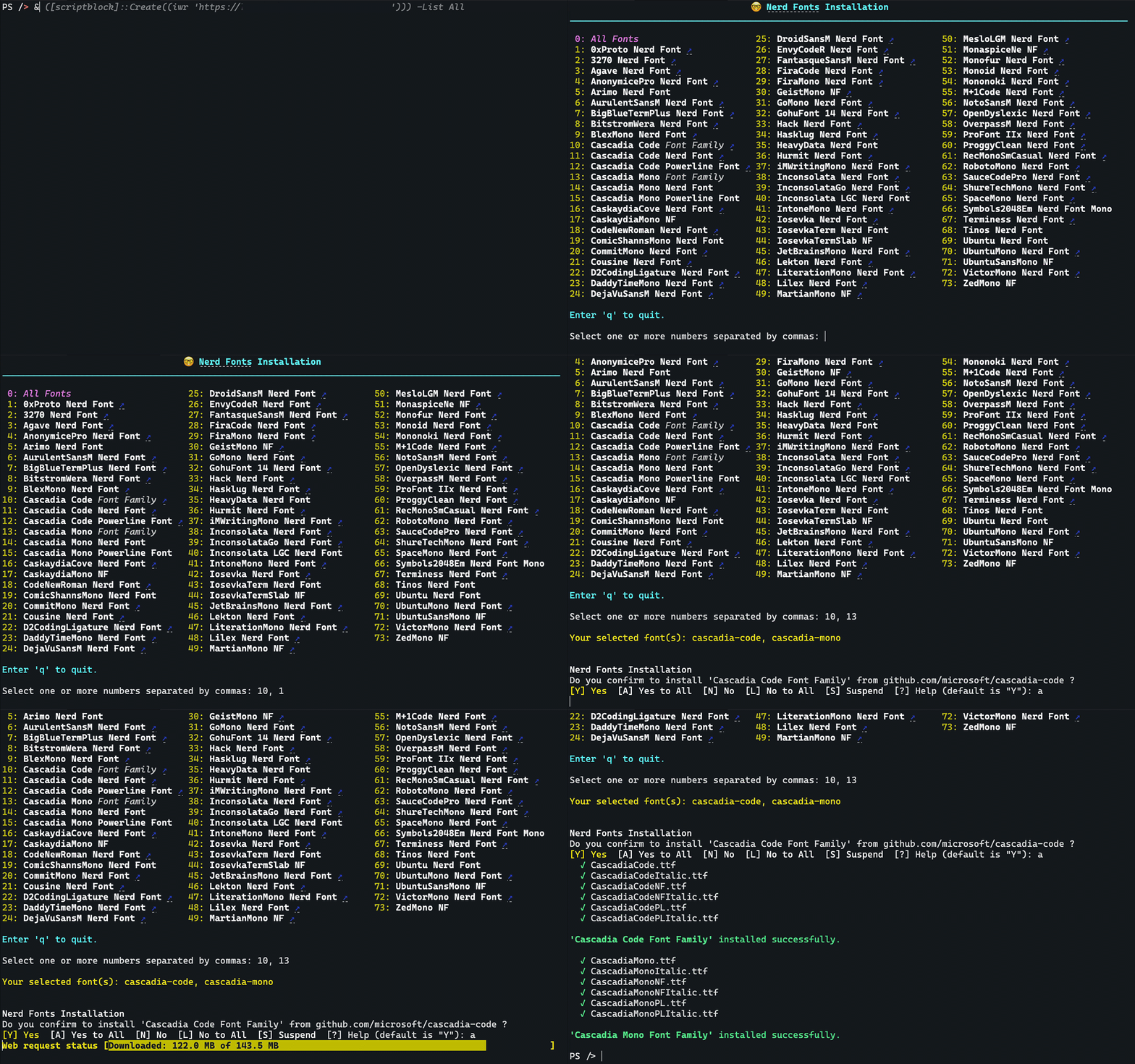
The script downloads the font archive from the GitHub release pages and installs the font files to
the user's font directory, or the system font directory when using the AllUsers scope with
elevated permissions.
The Web Installer for Nerd Fonts requires PowerShell to be available on your local machine.
- PowerShell 7+ is highly recommended for the best user experience and latest features.
- The built-in Windows PowerShell 5.1 is also supported but may lack some features available in PowerShell 7+.
PowerShell 7+ can be installed on Windows, macOS, or Linux devices, providing a consistent experience across all platforms. It is highly recommended for Windows users as it offers the latest features and improvements over the older Windows PowerShell 5.1.
To check which version of PowerShell you have installed, run the following command in your PowerShell terminal:
$PSVersionTable.PSVersionTo learn more about how to install PowerShell for your device, see one of these guides:
You can conveniently run this script directly from the web to install Nerd Fonts.
& ([scriptblock]::Create((iwr 'https://to.loredo.me/Install-NerdFont.ps1')))Or alternatively without the shortened URL:
& ([scriptblock]::Create((iwr 'https://raw.githubusercontent.com/jpawlowski/nerd-fonts-installer-PS/main/Invoke-NerdFontInstaller.ps1')))IMPORTANT: A code signature cannot be verified when running the script directly from the web. SSL transport layer encryption is used to protect the script during download from GitHub and during redirection from the URL shortener.
You can pass parameters to the script just like any other PowerShell script. Here are some examples:
To install specific fonts by name, use the -Name parameter:
& ([scriptblock]::Create((iwr 'https://to.loredo.me/Install-NerdFont.ps1'))) -Name hack, heavy-dataTo install fonts without any prompts, use the -Confirm:$false parameter:
& ([scriptblock]::Create((iwr 'https://to.loredo.me/Install-NerdFont.ps1'))) -Confirm:$false -Name hack, heavy-dataTo list all available fonts or search for specific fonts, use the -List parameter:
& ([scriptblock]::Create((iwr 'https://to.loredo.me/Install-NerdFont.ps1'))) -List All
& ([scriptblock]::Create((iwr 'https://to.loredo.me/Install-NerdFont.ps1'))) -List hack
& ([scriptblock]::Create((iwr 'https://to.loredo.me/Install-NerdFont.ps1'))) -List cas*To get help with the script and see enhanced parameter options, use the -Help parameter:
& ([scriptblock]::Create((iwr 'https://to.loredo.me/Install-NerdFont.ps1'))) -Help ?The Nerd Font Web Installer can also be installed locally from the PowerShell Gallery:
Install-PSResource Invoke-NerdFontInstallerRunning the script locally comes with some advantages:
- Use tab completion for parameters, including dynamic
-Nameparameter - Ensuring script integrity by validating its code signature (Windows only)
- Enhanced security by controlling the installation environment and dependencies


