

- React: Version 18
- Vite: Version 5
- Material UI
- اپلیکیشن ها: لیست اپلیکیشن های قابل تغییر و توسعه
- اطلاعات کاربر: اطلاعات سرویس کامل و کاربردی
- مدیریت کانفیگ: دریافت لیست کانفیگ ها و دریافت بارکد هر کانفیگ
- دو زبانه: پشتیبانی از زبان انگلیسی و فارسی
- شخصی سازی: قابلیت شخصی سازی رنگ ها و تم
۱. قالب رو با دستور زیر دانلود کنید
sudo wget -N -P /var/lib/marzban/templates/subscription/ https://github.com/MatinDehghanian/Ourenus/releases/latest/download/index.html۲. دستورات زیر رو تو ترمینال سرورتون بزنید
echo 'CUSTOM_TEMPLATES_DIRECTORY="/var/lib/marzban/templates/"' | sudo tee -a /opt/marzban/.env
echo 'SUBSCRIPTION_PAGE_TEMPLATE="subscription/index.html"' | sudo tee -a /opt/marzban/.env
یا مقادیر زیر رو در فایل .env در پوشه /opt/marzban با پاک کردن # اول آنها از حالت کامنت در بیارید.
CUSTOM_TEMPLATES_DIRECTORY="/var/lib/marzban/templates/"
SUBSCRIPTION_PAGE_TEMPLATE="subscription/index.html"
۳. ریستارت کردن مرزبان
marzban restart۱. قالب رو با دستور زیر دانلود کنید
sudo wget -N -P /var/lib/marzneshin/templates/subscription/ https://github.com/MatinDehghanian/Ourenus/releases/latest/download/index.html۲. دستورات زیر رو تو ترمینال سرورتون بزنید
echo 'CUSTOM_TEMPLATES_DIRECTORY="/var/lib/marzneshin/templates/"' | sudo tee -a /etc/opt/marzneshin/.env
echo 'SUBSCRIPTION_PAGE_TEMPLATE="subscription/index.html"' | sudo tee -a /etc/opt/marzneshin/.env
یا مقادیر زیر رو در فایل .env در پوشه /etc/opt/marzneshin با پاک کردن # اول آنها از حالت کامنت در بیارید.
CUSTOM_TEMPLATES_DIRECTORY="/var/lib/marzneshin/templates/"
SUBSCRIPTION_PAGE_TEMPLATE="subscription/index.html"
۳. ریستارت کردن مرزنشین
marzneshin restartبرای بروزرسانی تمپلیت فقط کافیست مرحله 1 را تکرار کنید.
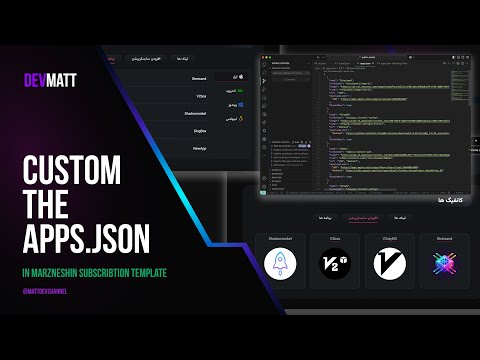
برای شخصی سازی لیست اپلیکیشن ها و لیست پشتیبانی:
- اپلیکیشن ها: public-assets Apps JSON
- توضیحات: ریپازیتوری من رو فورک کنید. و باتوجه به ساختار اون لینک یا اسم یا عکسش رو تغییر بدید
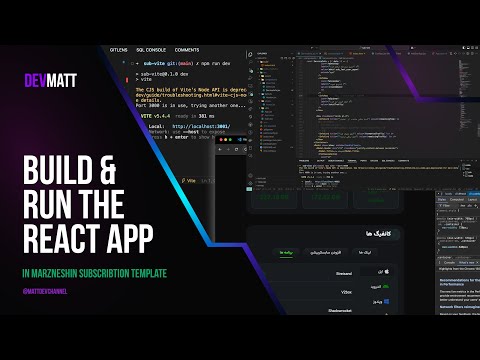
ویدیو آموزشی:
برای پشتیبانی یا سفارش قالب اختصاصی با من توی تلگرام در ارتباط باشید Telegram.

- React: Version 18
- Vite: Version 5
- Material UI
- Quick Link Addition: Add subscription links with ease.
- Customizable Application List: Modify and extend the app list as needed.
- Comprehensive Service Information: Access detailed and practical service info.
- Config Management: Retrieve config lists and generate QR codes for each config.
- Full App Customization: Tailor applications completely to your needs.
-
Download the Template File:
sudo wget -N -P /var/lib/marzban/templates/subscription/ https://github.com/MatinDehghanian/Ourenus/releases/latest/download/index.html
-
Execute the Following Commands in Your Server Terminal:
echo 'CUSTOM_TEMPLATES_DIRECTORY="/var/lib/marzban/templates/"' | sudo tee -a /opt/marzban/.env
echo 'SUBSCRIPTION_PAGE_TEMPLATE="subscription/index.html"' | sudo tee -a /opt/marzban/.env
Or uncomment the following lines in the
.envfile located in/opt/marzbanby removing the#at the beginning:CUSTOM_TEMPLATES_DIRECTORY="/var/lib/marzban/templates/" SUBSCRIPTION_PAGE_TEMPLATE="subscription/index.html"
-
Restart Marzban:
marzban restart
-
Download the Template File:
sudo wget -N -P /var/lib/marzneshin/templates/subscription/ https://github.com/MatinDehghanian/Ourenus/releases/latest/download/index.html
-
Execute the Following Commands in Your Server Terminal:
echo 'CUSTOM_TEMPLATES_DIRECTORY="/var/lib/marzneshin/templates/"' | sudo tee -a /etc/opt/marzneshin/.env
echo 'SUBSCRIPTION_PAGE_TEMPLATE="subscription/index.html"' | sudo tee -a /etc/opt/marzneshin/.env
Or uncomment the following lines in the
.envfile located in/etc/opt/marzneshinby removing the#at the beginning:CUSTOM_TEMPLATES_DIRECTORY="/var/lib/marzneshin/templates/" SUBSCRIPTION_PAGE_TEMPLATE="subscription/index.html"
-
Restart Marzneshin:
marzneshin restart
To update the template, simply repeat Step 1 from the installation guide.
To customize the app list or support List:
- Apps List: public-assets Apps JSON
- Instructions: Fork the repository if needed, add applications based on the operating system, provide custom icons, or update the program links.
Video Tutorial:
For custom templates or support, reach out to me on Telegram.